
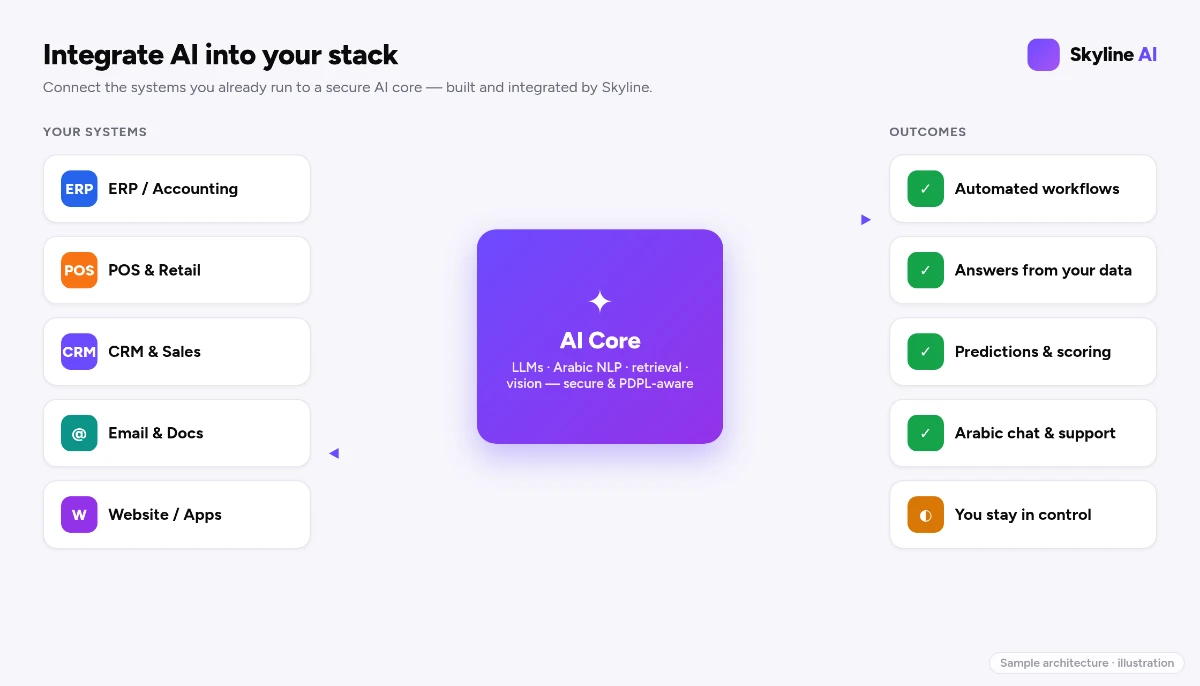
The systems that run your business — the ERP that handles finance and inventory, the POS that rings up sales, the CRM that holds your customers — are full of valuable data and almost no intelligence. The instinct of some vendors is to sell you a shiny new "AI-native" replacement. That is rarely the right move. Replacing a working core system is slow, risky and expensive. The smarter path is to add AI to what already works.
Why "rip and replace" is usually the wrong answer
Your existing systems hold years of clean, structured history and your team knows how to use them. That is an asset, not a liability. Modern AI connects to systems through APIs, so you can add intelligence as a layer rather than a replacement — capturing the upside without the migration pain. This is the "wire, don't replace" principle from build vs buy.
AI in your ERP
The ERP is where prediction pays the most, because it holds the numbers:
- Demand forecasting. Use sales history to predict what to stock and when, cutting both stockouts and dead inventory.
- Cash-flow and collections. Predict which invoices will pay late and prioritise follow-up.
- Anomaly detection. Flag unusual transactions, duplicate invoices, or spending outside pattern for review.
- Document AI in finance. Read supplier invoices and delivery notes and post them automatically — pairing with computer vision and OCR.
AI in your POS
At the point of sale, AI turns transaction data into action:
- Basket and product insight. Spot which products sell together and surface them.
- Demand by location and time. Forecast staffing and stock per branch, accounting for Saudi seasonality — Ramadan, Eid, school terms, weekends.
- Loss and fraud signals. Detect unusual refund or void patterns for a manager to check.
AI in your CRM
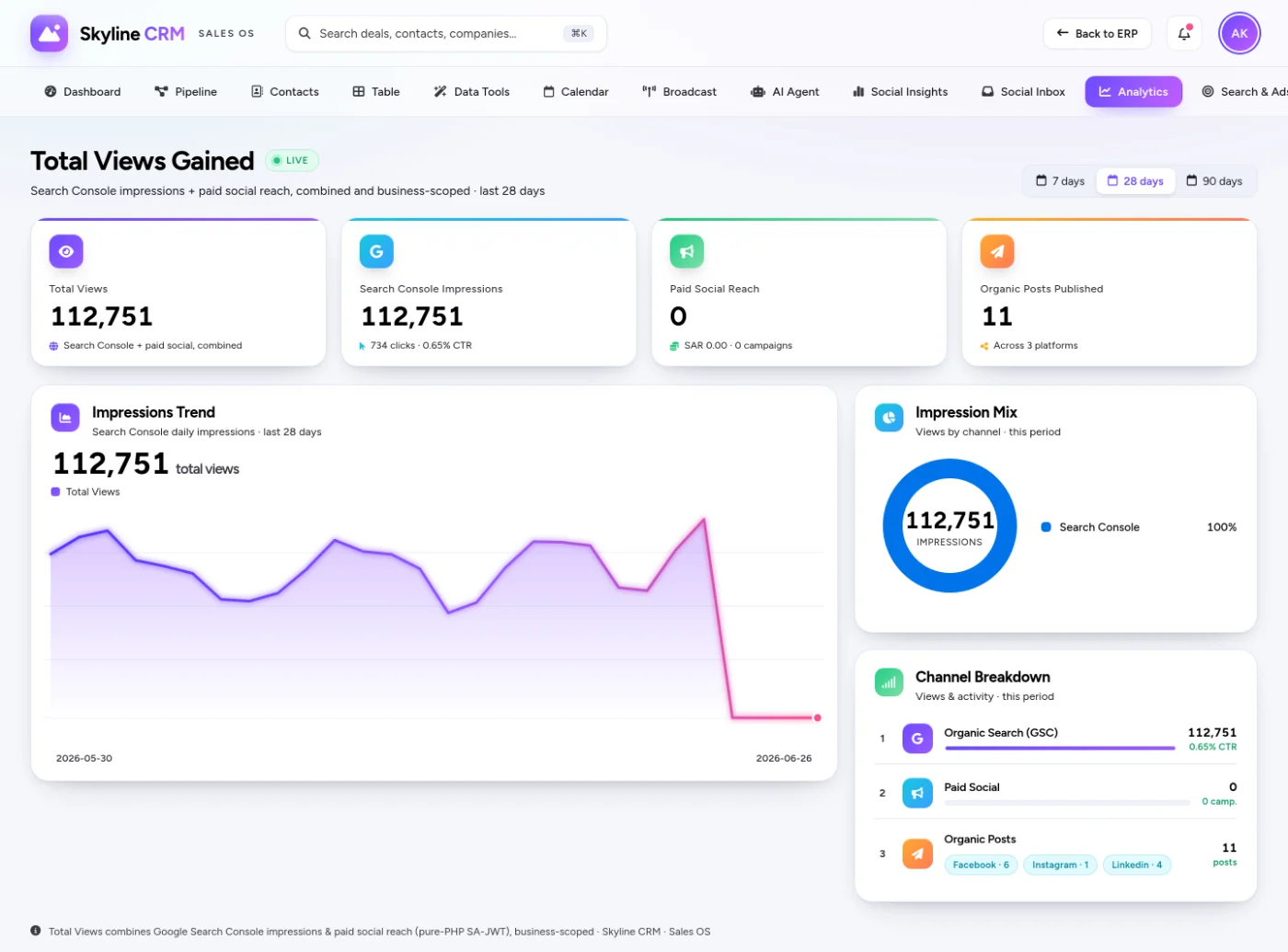
The CRM is where AI most visibly lifts revenue — and where Skyline runs it live in its own product:
- Lead scoring and routing. AI ranks which leads are most likely to convert and routes them to the right rep, so effort goes where it pays.
- Deal health and forecasting. AI reads activity to flag stalling deals and produce a weighted forecast.
- Draft replies and follow-ups. AI drafts the next message in Arabic or English for a rep to approve.
- Conversation capture. Lead capture across WhatsApp, web and social, scored automatically.
This is not theoretical: Skyline Sales OS does exactly this on real data today — read the AI CRM for Saudi sales teams story.
The connective tissue: automation and assistants
Once AI lives inside these systems, two patterns tie them together. Automation moves intelligent steps between them — a forecast in the ERP triggers a purchase suggestion, a won deal in the CRM creates the order; see AI workflow automation. And a grounded assistant lets staff ask across systems in plain Arabic — "what did this customer order last quarter?" — using the RAG pattern.
Keep it honest and in-Kingdom
Two principles hold throughout. First, human-in-control: AI proposes the reorder, the forecast, the reply — a person approves the consequential ones, because model judgement can be confidently wrong. Second, residency: these systems hold customer and financial data, so the AI layer must respect PDPL and in-Kingdom rules — see AI, PDPL and data residency. The whole approach sits inside the pillar guide to integrating AI into your business software.
Frequently asked questions
Do I have to replace my ERP, POS or CRM to get AI?
No. AI connects to these systems through APIs and adds intelligence as a layer, so you keep the systems and data your team already relies on.
What is the highest-value AI to add to a CRM?
Usually lead scoring and routing, deal-health signals, and drafted replies and follow-ups — the work that directly lifts revenue. Skyline runs exactly this in its own product.
Will AI reorder stock or pay suppliers automatically?
It proposes; a person approves the consequential actions. Model judgement can be confidently wrong, so those steps keep a review gate.
Is my customer and financial data safe?
We design the AI layer to respect PDPL and in-Kingdom residency, processing data on infrastructure you control.
How long does it take to add AI to my CRM?
A focused first capability — lead scoring or drafted replies, for example — can be wired in via API in a matter of weeks, then expanded as results prove out.
Does this work with any ERP, POS or CRM?
If the system exposes an API or a reliable data export, AI can usually connect to it as a layer. During the free consultation we assess exactly what your specific systems support before recommending an approach.
Make your current systems smarter
You have already invested in your ERP, POS and CRM. The fastest return is to make them intelligent, not to replace them. Book a free AI consultation and we will look at the systems you run today and map the highest-value AI layer for each. Explore the Skyline AI Integration service to see it delivered on Skyline Cloud or in your own environment.
Comments
0 total · 0 threads