
Automation is not new — businesses have moved data between systems for decades. What is new is that AI can now handle the judgement steps that always forced a human into the middle: reading an unstructured email, classifying a request, deciding which path a case should take, drafting a reply. Combine classic automation with AI judgement and whole workflows that used to need a person at every junction can run on their own — with a person watching the exceptions.
Two kinds of automation, working together
It helps to separate them:
- Classic (deterministic) automation moves and transforms structured data by fixed rules: when a form is submitted, create a record; when a deal closes, send an invoice. Reliable, but blind to anything messy.
- AI automation adds understanding: read this free-text complaint and route it; summarise this thread; extract the totals from this PDF; draft a reply in Arabic. It handles the unstructured, ambiguous reality that rules cannot.
The magic is the combination — deterministic steps for the predictable parts, AI steps for the parts that need reading and judgement, stitched into one flow.
Workflows worth automating in Saudi businesses
- Inbound email triage. AI reads incoming business mail, classifies it (sales, support, supplier, spam), extracts the key fields, and drafts a structured reply for a person to approve. Skyline runs exactly this on its own back-office and IT-support inboxes — proof it works in production.
- Quote and order processing. Pull requirements from an email or PDF, check a price book, assemble a draft quote, and route it for approval — a natural fit alongside AI in ERP, POS and CRM.
- Invoice and document handling. Vision and OCR read invoices and delivery notes; automation files them, matches them to POs, and flags exceptions. See computer-vision use cases.
- Lead capture and follow-up. Capture leads across WhatsApp, web and social, score them, and trigger the right follow-up sequence automatically.
- Reporting and digests. AI summarises activity into a daily Arabic or English digest for managers, so nobody assembles it by hand.
No-code builders put it in your team's hands
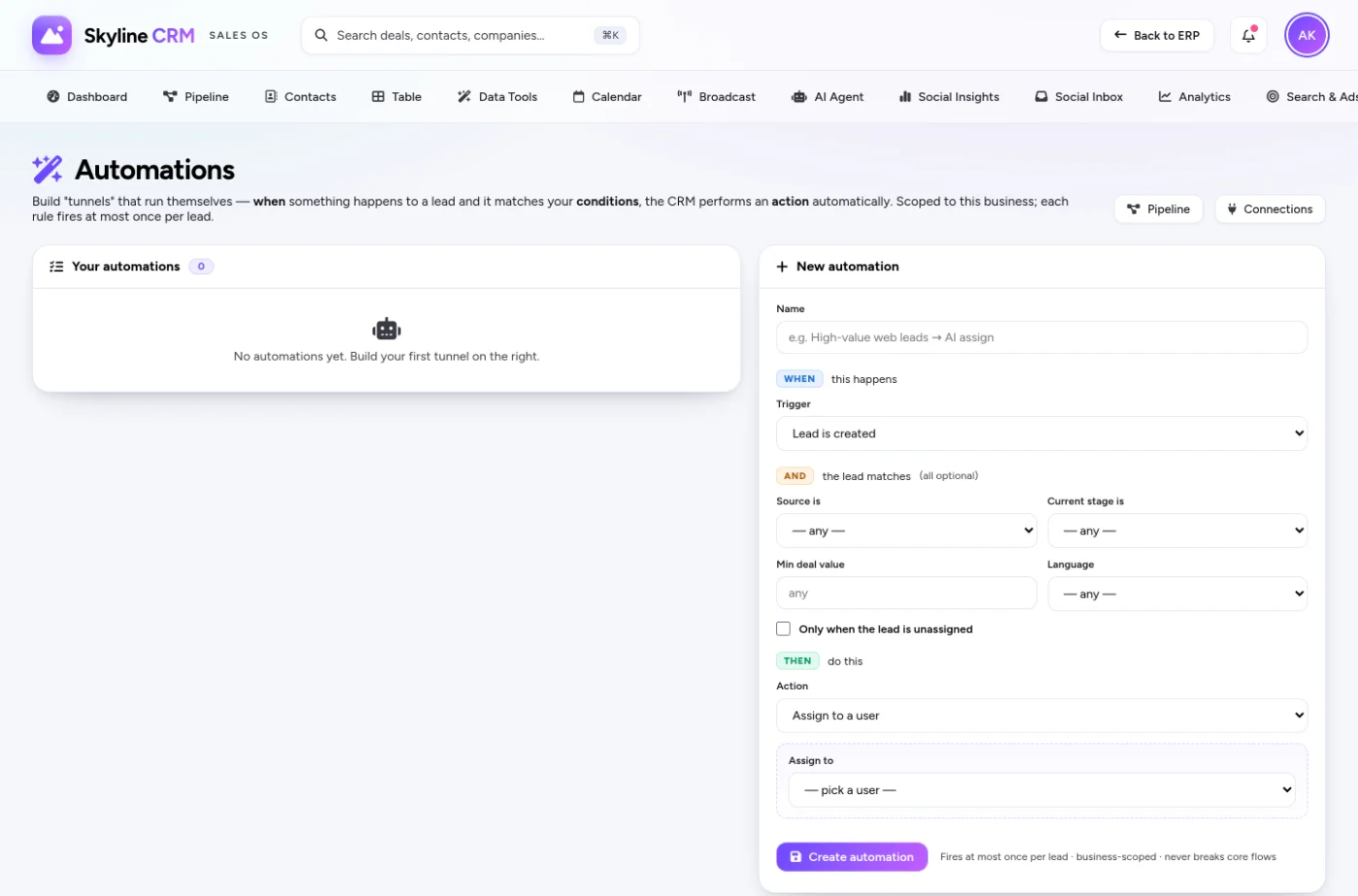
You do not need a developer for every automation. Modern no-code builders let your team draw a workflow visually — triggers, conditions, actions — and drop AI steps in where judgement is needed. This is how Skyline's own platforms expose automation ("tunnels") to non-technical staff. For the steps that genuinely need bespoke logic or system access, a custom AI agent slots into the same flow.
Guardrails: automate the routine, gate the consequential
The discipline that keeps AI automation safe is simple: automate fully where errors are cheap and reversible, and insert a human approval gate where they are not. Sending a routine acknowledgement — automate it. Issuing a refund, signing a contract, paying a supplier — propose it, let a person approve. Because AI judgement is probabilistic and can be confidently wrong, consequential actions always carry review. The same principle runs through our honest guide to generative AI.
And mind the data: automated flows often carry personal data between systems, so design them with residency and PDPL in mind — see AI, PDPL and data residency.
A rollout that sticks
- Map one workflow end to end. Every step, every decision, every handoff.
- Mark the judgement steps. These are where AI earns its place; the rest is classic automation.
- Automate the cheap-error steps first. Build confidence and free time quickly.
- Add approval gates. Keep humans on consequential actions and on low-confidence cases.
- Measure and expand. Track time saved and error rate, then automate the next workflow.
This is the operating rhythm behind the pillar guide to integrating AI into your business software — ship one workflow, prove it, fund the next.
Frequently asked questions
How is AI automation different from regular automation?
Classic automation follows fixed rules on structured data; AI automation adds judgement — reading unstructured text, classifying, and drafting — to the steps that used to need a human.
Do I need a developer to automate a workflow?
Often no. Many flows are built in no-code builders by your own team, with a custom AI agent dropped in only where bespoke logic or system access is needed.
Will automation act on money without approval?
No. Consequential actions — refunds, payments, contracts — keep a human approval gate; only cheap, reversible steps run fully automatically.
Where should I start?
With the one process that quietly eats hours every week. Map it end to end, then automate the cheap-error steps first.
How do I measure the return on an automated workflow?
In hours saved and errors avoided. We baseline the manual process first, then track time-to-complete and error rate after automation so the payback is visible, not assumed.
Find your first workflow
Most teams have one process that quietly eats hours every week. Describe it at a free AI consultation and we will map where AI fits, where humans stay, and what the payback looks like. Explore the Skyline AI Integration service to see automation as part of the wider AI stack.
Comments
0 total · 0 threads