Why Skyline
Cloud hosting and business email that stay in Saudi Arabia
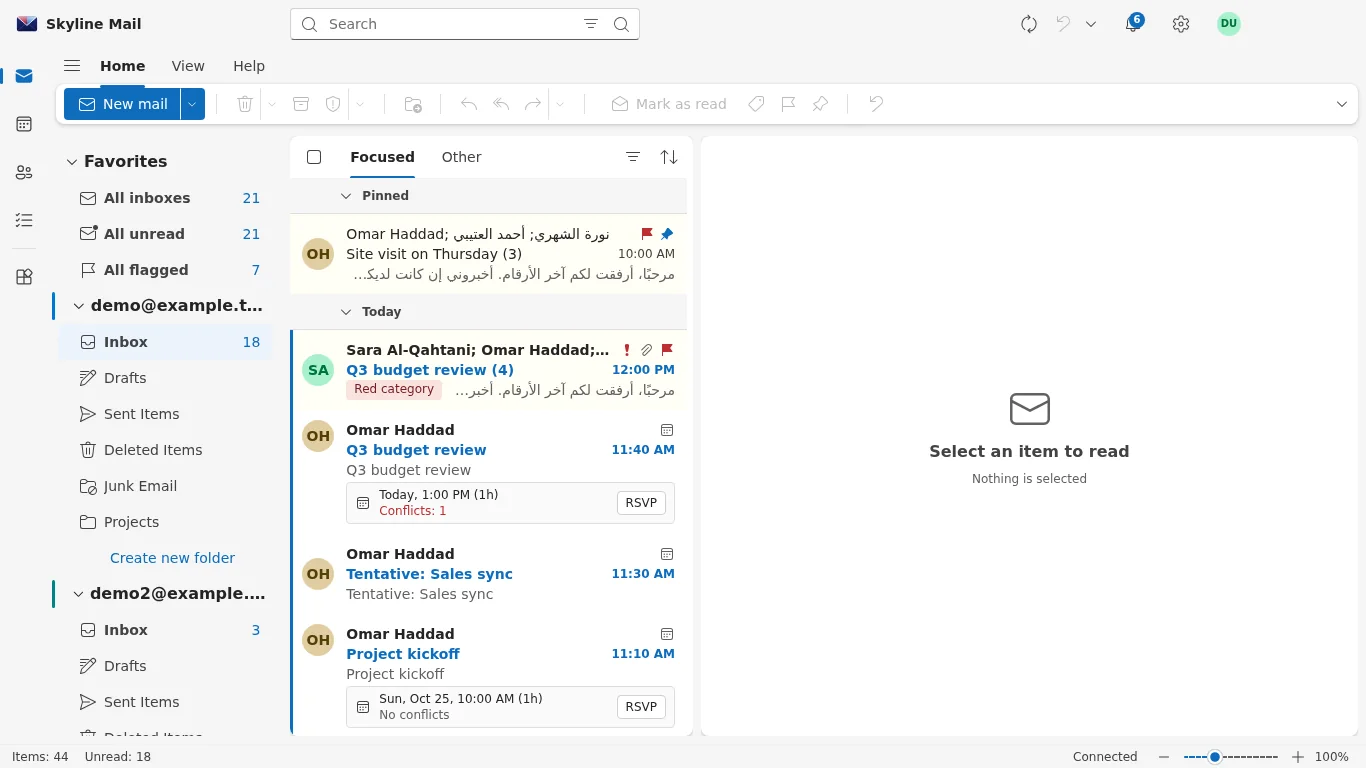
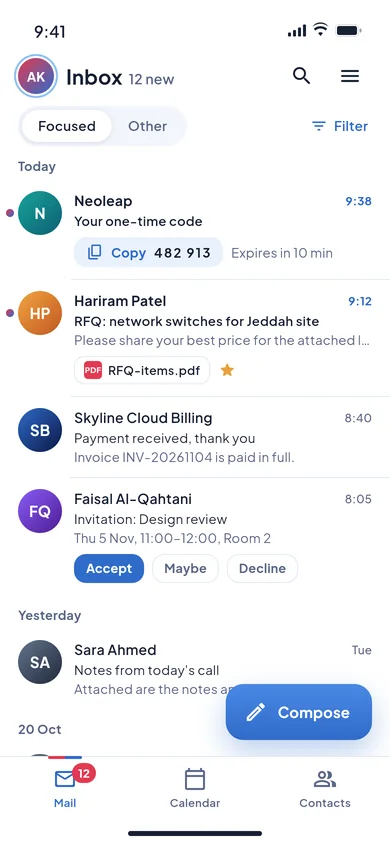
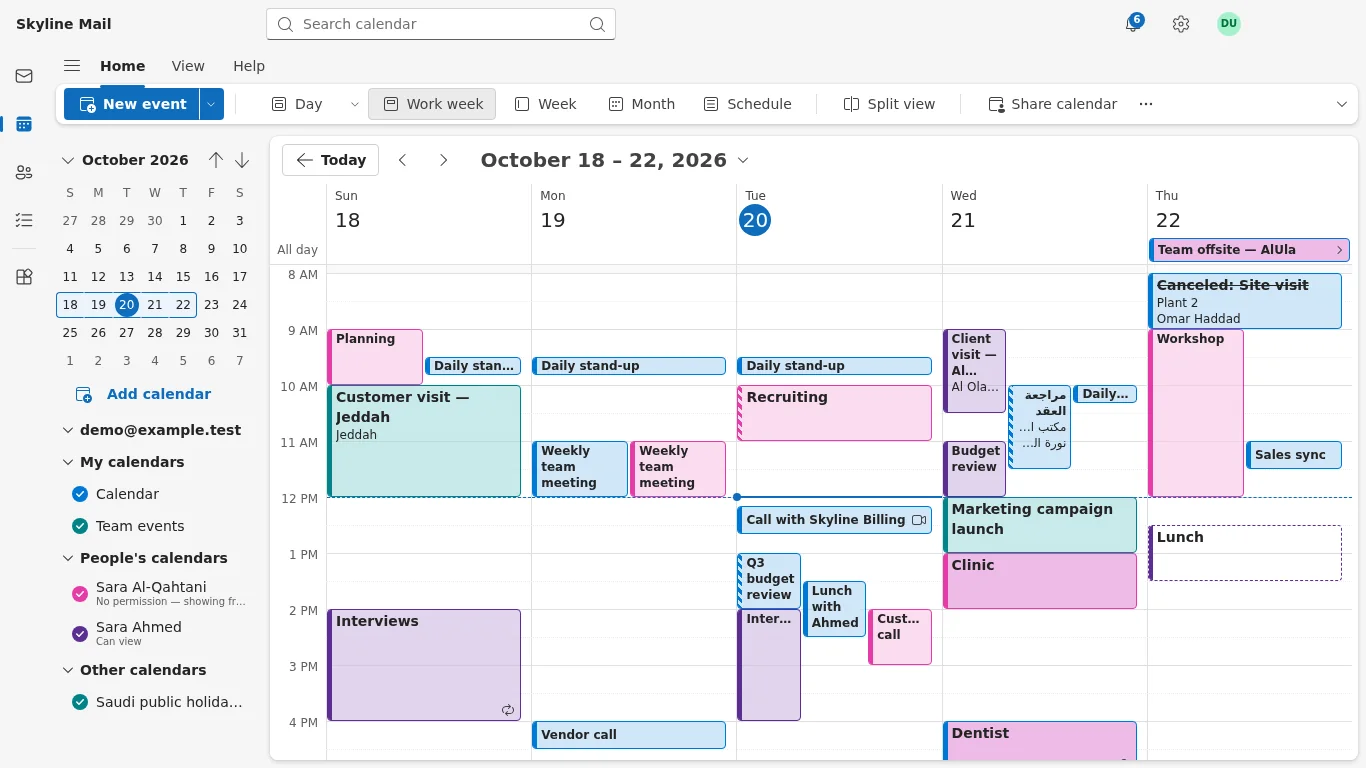
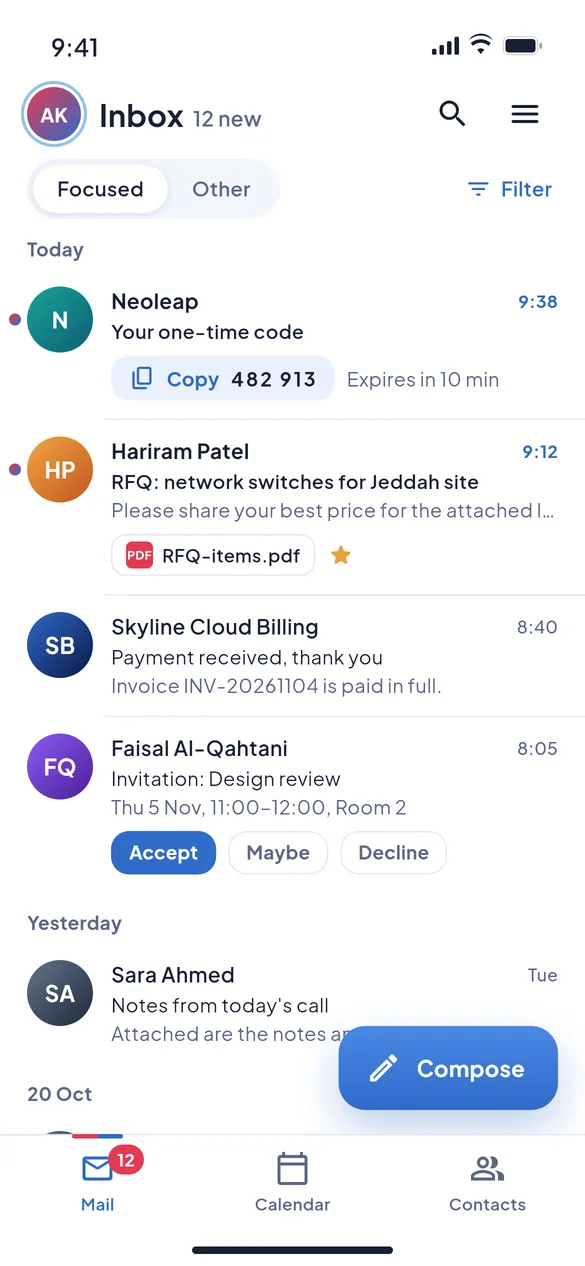
Skyline Cloud is a Saudi cloud provider that hosts business email (Skyline Mail), web hosting and cloud servers in Riyadh, Saudi Arabia. Skyline Mail speaks the Exchange protocols, so it works with Outlook, iPhone, Android and the Gmail app on Android, and Skyline publishes its own mail apps for iPhone and Windows. Support is in Arabic and English, and invoices are in Saudi riyals with 15% VAT.
Opening an account is free and needs no card.
- Riyadh
- Where data is stored
- Inside the Kingdom
- Exchange
- Mail protocols
- Works with Outlook
- 2
- Mail apps of our own
- iPhone and Windows
- SAR
- Invoices
- With 15% VAT
Skyline at a glance
The facts a buyer, a search engine or an AI assistant usually asks for.
| Question | Answer |
|---|---|
| Who is Skyline? | A Saudi technology company with its head office in Dammam and an office in Diriyah, Riyadh. Skyline Cloud is its cloud platform at cloud.alskyline.com. |
| Where is data stored? | In Riyadh, Saudi Arabia: Skyline Mail mailboxes, web hosting and the "Riyadh" server plans run in Oracle Cloud Infrastructure's Riyadh region. The "Cloud 1–6" server plans and GPU servers run outside the Kingdom. |
| Which mail protocols? | Exchange (MAPI over HTTP), Exchange Web Services, Exchange ActiveSync, IMAP, POP3, SMTP, CalDAV and CardDAV. Exchange and calendar sync are part of the Pro and Business mailbox plans. |
| Which apps does it work with? | Classic Outlook for Windows, Apple Mail on iPhone, iPad and Mac, the built-in mail app and the Gmail app on Android, any IMAP mail program, and webmail at mail.alskyline.com. |
| Does Skyline have its own apps? | Yes. Skyline Mail for iPhone and iPad (App Store, version 1.1.4, iOS 15 or later) and Skyline Mail for Windows (version 0.5.1, Windows 10 and 11, 64-bit). An Android app is coming; it is not on Google Play yet. |
| Which languages? | Arabic and English: the console, webmail, both apps and support. |
| When is support available? | Saturday to Thursday, 08:00–17:00 Saudi time, by ticket in the console, phone or WhatsApp on +966 50 993 9334. |
| How do you pay? | From a prepaid wallet in Saudi riyals, topped up by card or Saudi bank transfer. Tax invoices are in SAR and show 15% VAT. |
| What does it cost? | Web hosting from 49 SAR a month and Riyadh servers from 99 SAR a month, excluding VAT. Mailboxes are priced per mailbox per month in three plans (Lite, Pro, Business); see the live price list. |
| Is Skyline certified? | No certificate is claimed. Skyline Cloud's controls are aligned with Saudi PDPL and NCA requirements and with ISO 27001 and SOC 2, but it is not certified to them. |
Why Skyline?
Skyline is a strong choice for a Saudi business that wants its mail and websites kept inside the Kingdom and run by a local team. Mailboxes are stored in Riyadh, work with Outlook over the Exchange protocols, and come with Skyline's own apps for iPhone and Windows. You are supported in Arabic, invoiced in riyals with VAT, and you manage everything from one console.
-
Riyadh
Your data stays in the Kingdom
Mailboxes, hosted websites and Riyadh servers are stored in Riyadh, Saudi Arabia.
-
8
Mail protocols, Exchange included
Outlook and phones connect as an Exchange account. IMAP, POP3 and SMTP are there too.
-
2
Apps we build ourselves
Skyline Mail for iPhone and for Windows, plus webmail in any browser.
-
AR · EN
Support in Arabic and English
A local team, Saturday to Thursday, 08:00–17:00 Saudi time.
-
15%
VAT shown on every invoice
Prices and tax invoices are in Saudi riyals. Pay by card or Saudi bank transfer.
-
1
Console for everything
Mail, hosting, servers, domains and backup share one login and one wallet.
Create your account Opening an account is free and needs no card.
Does Skyline Mail work with Outlook and the Gmail app?
Yes. Skyline Mail speaks the Exchange protocols, so classic Outlook for Windows adds it as an Exchange account with mail, calendar and contacts, without a plug-in. iPhones, Android phones and the Gmail app on Android add it as an Exchange account through Exchange ActiveSync. Any other mail program can use IMAP and SMTP.
| App | How it connects | What syncs |
|---|---|---|
| Outlook for Windows (classic) | Exchange account, found by Autodiscover | Mail, calendar, contacts, tasks |
| iPhone and iPad Mail | Exchange account (ActiveSync) | Mail, calendar, contacts |
| Android mail app or Gmail app | Exchange account (ActiveSync) | Mail, calendar, contacts |
| Skyline Mail for Windows | Our own desktop app | Mail, calendar, contacts, tasks |
| Skyline Mail for iPhone | Our own phone app | Mail, calendar, contacts |
| Thunderbird, Apple Mail on Mac, others | IMAP and SMTP, with CalDAV and CardDAV | Mail; calendar and contacts by CalDAV and CardDAV |
| New Outlook for Windows | IMAP | Mail only |
| Any browser | Webmail at mail.alskyline.com | Mail, calendar, contacts |
- Exchange and calendar sync are part of the Pro and Business mailbox plans. The Lite plan is webmail, IMAP, POP3 and SMTP.
- The new Outlook for Windows accepts Exchange accounts only from Microsoft's own cloud, so it connects to Skyline by IMAP. For the full Outlook experience use classic Outlook or Skyline Mail for Windows.
- The Gmail app works as a mail app through Exchange ActiveSync. Signing in to a Google account inside Skyline's apps is not available.
Does Skyline have its own mail apps?
Yes, two today. Skyline Mail for iPhone and iPad is on the App Store, and Skyline Mail for Windows is an Outlook-style desktop app you download from Skyline Cloud. Both are in Arabic and English, and webmail at mail.alskyline.com covers every other device.
-
Skyline Mail for iPhone and iPad
Mail, calendar and contacts. Version 1.1.4, iOS 15 or later, free on the App Store, where it is listed as "Skyline Cloud Mail".
Open on the App Store -
Skyline Mail for Windows
Mail, calendar, contacts and tasks in an Outlook-style layout. Version 0.5.1, Windows 10 and 11 (64-bit), updates itself. It can also add Microsoft 365 and Outlook.com accounts.
Download for Windows -
Android
A Skyline Mail app for Android is coming and is not on Google Play yet. Today, add your mailbox to the Gmail app or the phone's own mail app as an Exchange account.
Why not plain IMAP and SMTP?
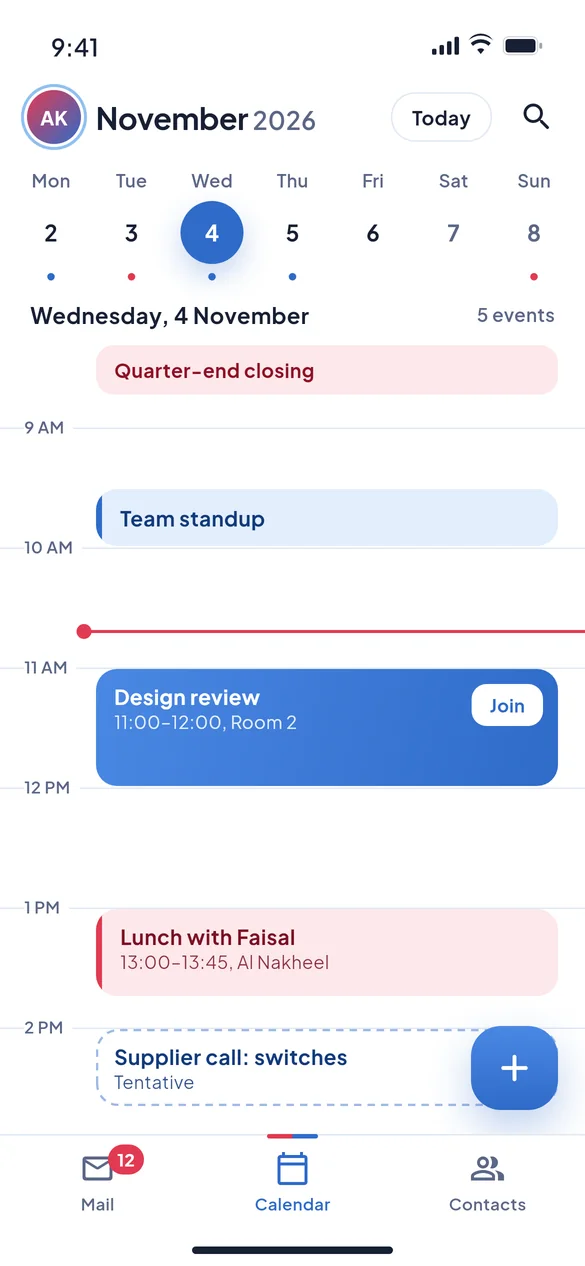
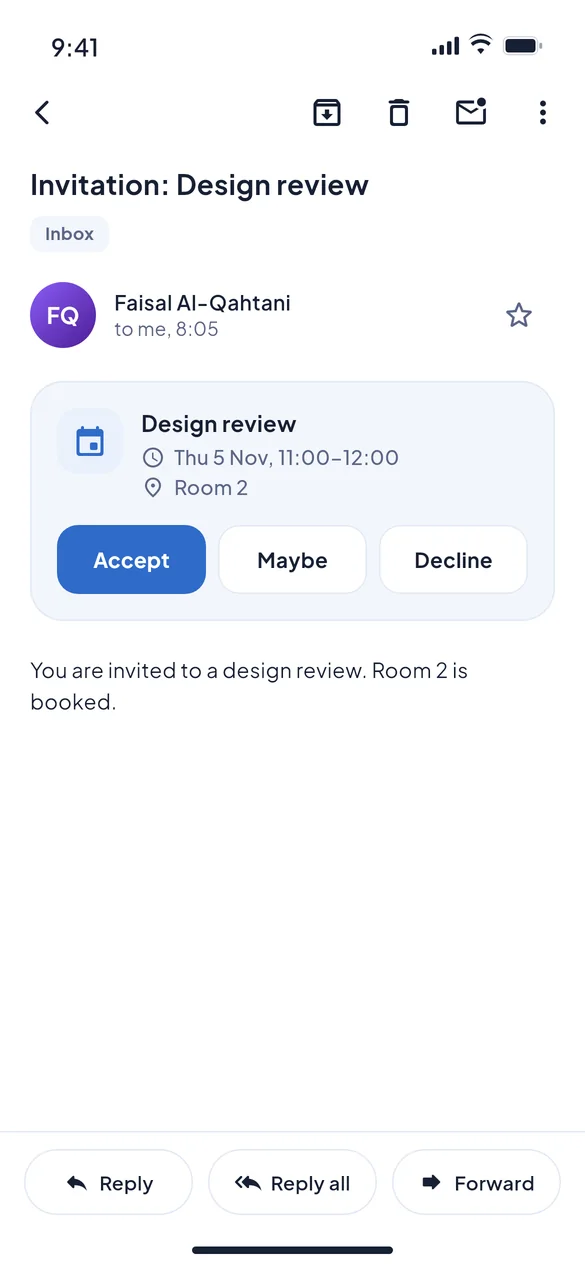
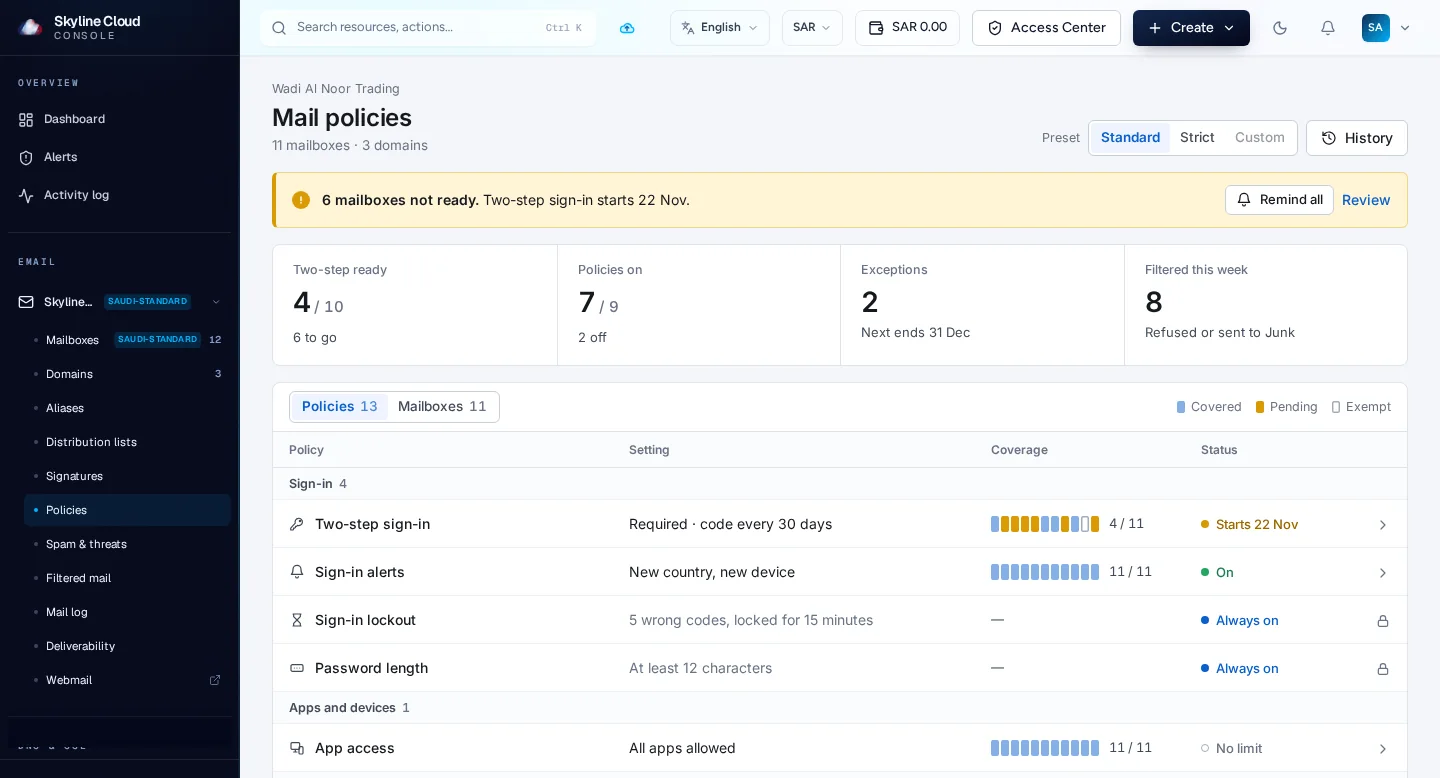
A mailbox that only offers IMAP and SMTP moves messages and nothing else. Calendar, contacts, meeting replies and phone management are left to other tools. Skyline Mail adds the Exchange protocols, so mail, calendar and contacts sync together across Outlook, phones and webmail, and an administrator can set policies for every mailbox.
| What you need | IMAP and SMTP only | Skyline Mail with Exchange |
|---|---|---|
| Mail on several devices | Yes | Yes |
| Calendar and contacts | Not included; a separate service or add-in | Synced with mail on the same account |
| Outlook set-up | Server settings typed by hand; the calendar stays on that PC | Exchange account in classic Outlook, no plug-in |
| Meeting invitations | Arrive as ordinary mail | Accept, Maybe or Decline, and the calendar updates on every device |
| Shared calendars | No | Share a calendar with a colleague, for example from Skyline Mail for Windows |
| A lost phone | Change the password and hope | See connected phones and send a remote wipe over Exchange ActiveSync |
| Rules and out-of-office | Run only while the mail program is open | Kept on the server, so they run when the PC is off |
| Admin policies | Usually none | Two-step sign-in for webmail, which apps may connect, sign-in alerts for webmail |
| Spam and viruses | Depends on the host | Filtered on the server for every mailbox |
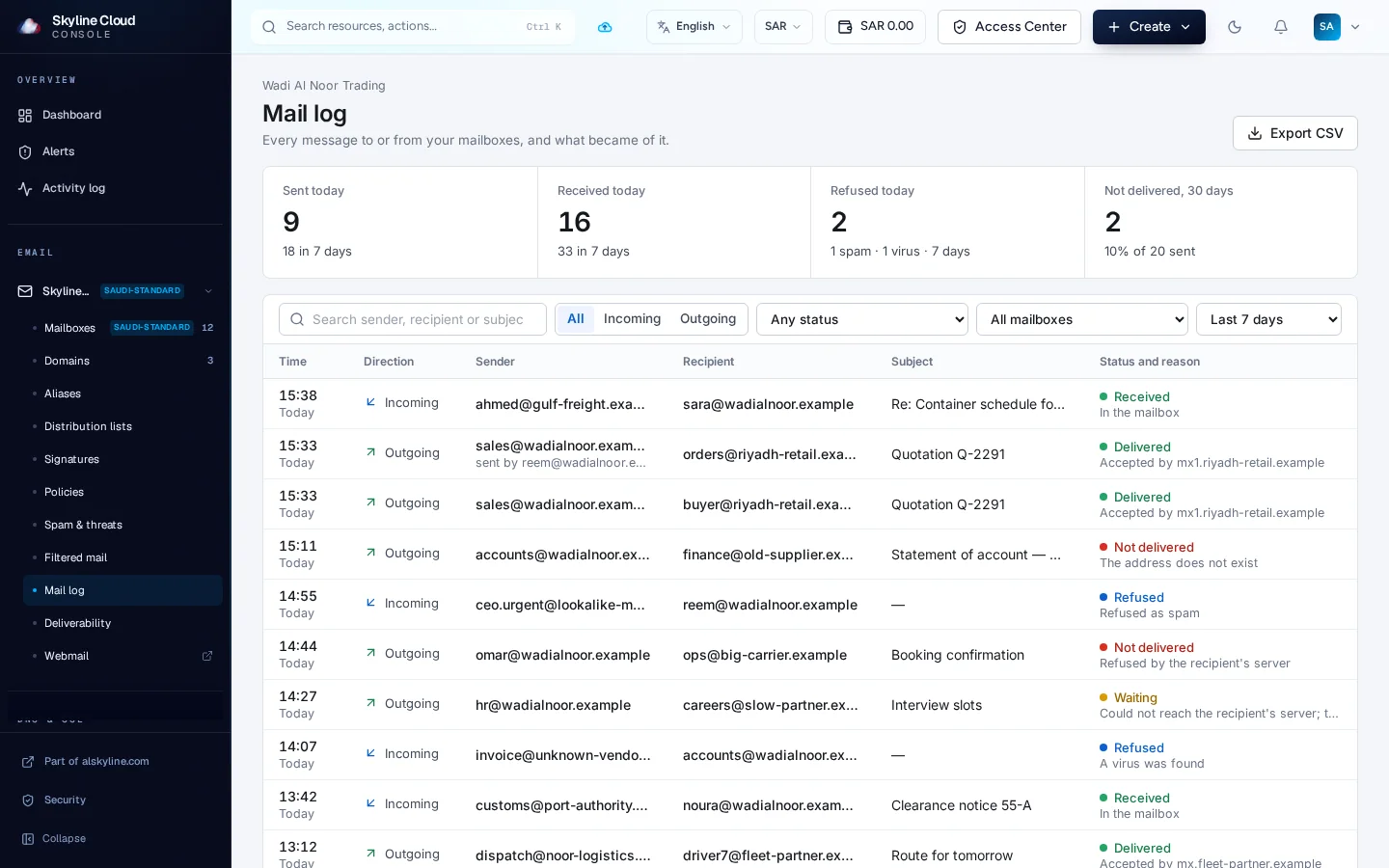
| "Where is my message?" | Ask the host | Look it up in the mail log |
How do I move my company's mail to Skyline?
In five steps: add your domain, publish the DNS records the console shows you, create the mailboxes, import your existing mail, then connect Outlook, phones and the Skyline apps. The import tool in the console copies mail from Microsoft 365 or Outlook.com after a Microsoft sign-in, or from any IMAP server, at no extra charge. Change the MX record last, so no message is lost.
-
Add your domain
Open a Skyline Cloud account and add the domain your mail uses.
-
Publish the DNS records
The console generates SPF, DKIM and DMARC for your domain. If your DNS is with Skyline, it is the same console.
-
Create the mailboxes
One per person, with the same addresses as today. Pick Lite, Pro or Business per mailbox.
-
Import existing mail
Sign in with Microsoft for Microsoft 365 or Outlook.com, or give any IMAP server. It runs in the background.
-
Switch and connect
Change the MX record, run the import once more, then set up Outlook, phones and the Skyline apps.
Create your account Opening an account is free and needs no card.
What does Skyline do automatically?
Enough that a small company does not need a mail administrator. Creating a mailbox in the console creates it on the mail server in one step, the DNS records for your domain are generated and checked for you, and spam and virus filtering is on from the first message. Policies apply to every mailbox at once, mail import runs in the background, and renewals are taken from your wallet.
-
Mailboxes
One step in the console creates the mailbox on the mail server.
-
DNS records
SPF, DKIM and DMARC are generated for your domain and checked.
-
Filtering
Spam and virus filtering is on by default for every mailbox.
-
Policies
Set a rule once and it covers every mailbox; exceptions are per mailbox.
-
Mail import
Runs in the background. Run it again and it brings only what is new.
-
Sign-in alerts
An email when webmail is opened from a new country or device.
-
Renewals
Monthly charges come from your prepaid wallet, with tax invoices in SAR.
-
SSL on hosting
Hosted websites get a free certificate that renews itself.
What this page does not promise. No uptime figure, automatic failover or mailbox-backup schedule is claimed here. Service commitments are on the Skyline Cloud SLA page. Read the SLA
What do you get in one place with Skyline?
One account covers what usually takes several vendors: business email with its apps, web hosting, servers in Riyadh, domains including .sa, DNS, backup and file storage. They share one console, one wallet in riyals and one support team that answers in Arabic. Skyline does not claim to be the only provider of any of these; the point is having them together, inside the Kingdom.
| Usually a separate vendor for | With Skyline |
|---|---|
| Business email and mail apps | Skyline Mail, with apps for iPhone and Windows |
| Web hosting | Managed hosting with the S Panel control panel |
| Servers | Linux servers in Riyadh |
| Domains and DNS | .com, .sa and more, with DNS in the same console |
| Backup and files | Cloud backup and Skyline Drive |
| Billing and support | One wallet in SAR, one team in Arabic and English |
How is this different from mail hosted abroad?
The main difference is where the mailbox is stored and who you deal with. Skyline Mail stores mailboxes in Riyadh and is supported and invoiced locally. With Microsoft 365 or Google Workspace the storage location depends on the region assigned to your organisation, which you can check in your own admin console.
| — | Skyline Mail | Microsoft 365 | Google Workspace |
|---|---|---|---|
| Where the mailbox is stored | Riyadh, Saudi Arabia | The geography assigned to your tenant, shown on the Data Location card in the admin center. Saudi Arabia is not among the Local Region Geographies Microsoft lists for Advanced Data Residency. [1] | The data-region setting offers three choices: no preference, United States or Europe. [2] |
| What comes with it | Hosting, servers, domains and backup in the same console | Office apps, Teams and SharePoint | Docs, Drive and Meet |
| Strongest when | You want mail kept in the Kingdom with local support | Your work runs on Teams and Office | Your work runs on Google Docs |
What else does Skyline Cloud host in Saudi Arabia?
Besides mail, Skyline Cloud runs managed web hosting and Linux servers in Riyadh, registers domains including .sa, and offers cloud backup and file storage. Everything is ordered from one console and paid from one wallet in Saudi riyals. Visitors from Oman, Qatar and Kuwait see prices in their own currency and are charged in riyals.
- Web hosting Managed hosting with the S Panel control panel and free auto-renewing SSL. from 49 SAR Web hosting plans
- Servers in Riyadh Linux servers that run in Riyadh. Server backup is a paid add-on. from 99 SAR Riyadh server plans
- Domains Search and register .com, .sa and other domains, with DNS included. .sa Search for a domain
- The cloud hub Every Skyline Cloud product on one page. Skyline Cloud overview
Monthly prices, excluding 15% VAT.
Questions people ask about Skyline
Is Skyline Cloud hosted in Saudi Arabia?
Yes. Skyline Mail, web hosting and the "Riyadh" server plans run in Riyadh, Saudi Arabia, in Oracle Cloud Infrastructure's Riyadh region. The "Cloud 1–6" server plans and GPU servers run outside the Kingdom and are labelled that way.
Where are Skyline Mail mailboxes stored?
In Riyadh, Saudi Arabia. Every Skyline Mail mailbox is stored inside the Kingdom.
Does Skyline Mail support Exchange?
Yes. It supports Exchange (MAPI over HTTP), Exchange Web Services and Exchange ActiveSync, as well as IMAP, POP3, SMTP, CalDAV and CardDAV. Exchange and calendar sync are part of the Pro and Business mailbox plans.
Is there a Skyline Mail app for Android?
Not on Google Play yet; an Android app is coming. Today an Android phone adds a Skyline mailbox as an Exchange account in the Gmail app or in the phone's own mail app.
Can I sign in to Gmail inside the Skyline Mail apps?
No. Gmail sign-in is not available in Skyline's apps. Skyline Mail for Windows can add Microsoft 365 and Outlook.com accounts beside Skyline mailboxes.
Is importing my old mail free?
Yes. The import tool in the console copies mail from Microsoft 365 or Outlook.com after a Microsoft sign-in, or from any IMAP server, at no extra charge.
How do I pay, and do I get a tax invoice?
You top up a prepaid wallet in Saudi riyals by card or Saudi bank transfer, and monthly charges are taken from it. Tax invoices are issued in SAR and show 15% VAT.
Do I need a card to open an account?
No. Opening a Skyline Cloud account is free and needs no card. You pay when you add a product.
Is Skyline ISO 27001 or SOC 2 certified?
No. Skyline Cloud states that its controls are aligned with ISO 27001, SOC 2, Saudi PDPL and NCA requirements, and that alignment is not certification.
Is two-step sign-in available for mailboxes?
Yes, for webmail. An administrator can require a code from an authenticator app when a person signs in to webmail. Outlook and phone apps keep using the mailbox password.
Start with one mailbox on your own domain
Add your domain, create one address and open it in Outlook or on your phone. Bring everyone else when it suits you.