Select the search field at the top of any console page, or press Ctrl K, and start typing. Search looks through your servers, mailboxes, domains, DNS zones, invoices, console pages, actions and help articles at once. Press Enter to open the highlighted result, or choose See all results for a full page with tabs and a filter for each product.
What you need
- A Skyline Cloud sign-in. Search shows what your role lets you see in the team you are working in.
How do I search the console?
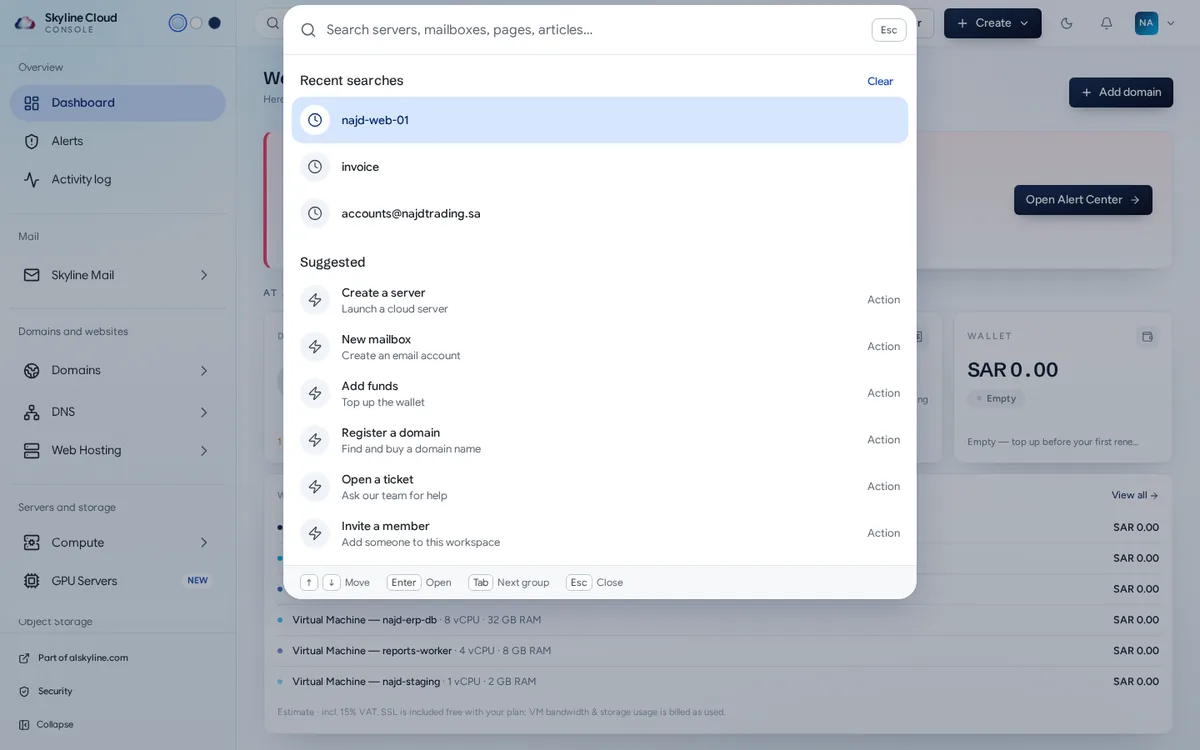
Open search. Select Search everything in the top bar or press Ctrl K. Before you type, the panel lists your Recent searches and Suggested actions such as Create a server, New mailbox, Add funds, Register a domain, Open a ticket and Invite a member.
Type a name, an address or a domain. Results appear as you type, grouped under Resources, Products and pages, Actions and Articles. Each resource shows what it is (Server, Mail domain, Registered domain, DNS zone and so on) and its state.
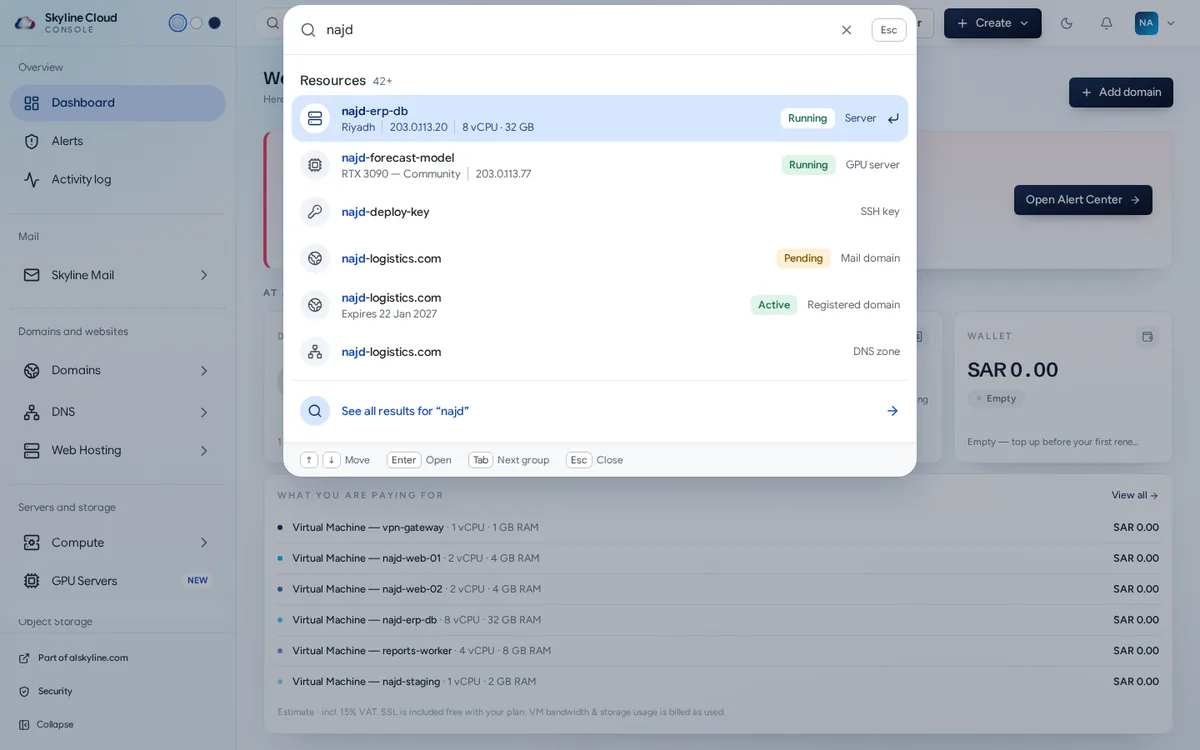
Open a result with the keyboard. Use the arrow keys to move, Enter to open, Tab to jump to the next group and Esc to close.
See everything that matches. Choose See all results for … to open the results page. Its tabs are All, Resources, Pages, Actions and Articles, each with a count.
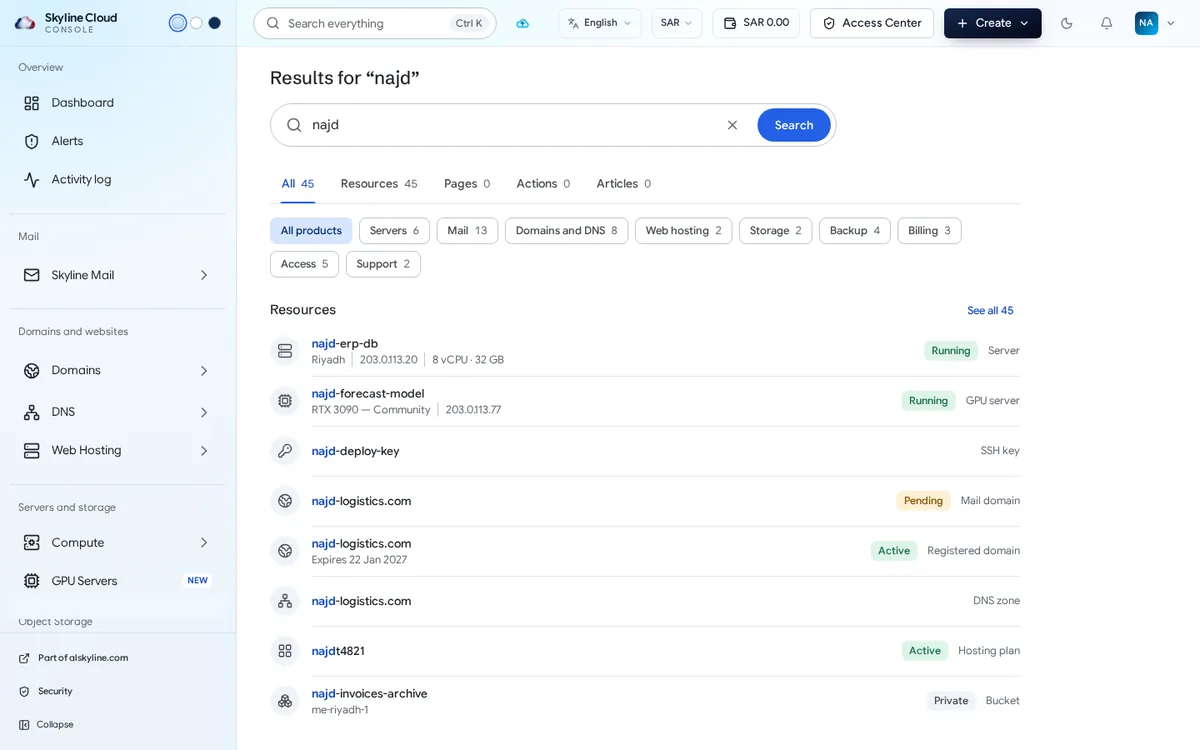
Filter by product. Under the tabs, pick Servers, Mail, Domains and DNS, Web hosting, Storage, Backup, Billing, Access or Support to keep only that product; All products removes the filter.
What can search find?
| Group | Examples |
|---|---|
| Resources | Servers and GPU servers, SSH keys, mailboxes, mail domains, registered domains, DNS zones, hosting plans, buckets, invoices |
| Products and pages | Any page of the console, for example Mail policies or Wallet |
| Actions | Things you can start, such as Create a server or Invite a member |
| Articles | Guides from the Skyline knowledge base; they open in a new tab |
If something goes wrong
| What you see | What to do |
|---|---|
| Nothing matches | Try a name, an address or a domain, or fewer letters. The empty page also offers Open a ticket and Browse the knowledge base. |
| You know a resource exists but it is not listed | It may belong to another team, or your role may not include that product. Switch team from the account menu, or ask an administrator. |
| Too many results | Type more of the name. The page says when it is showing only the closest matches. |
| Articles are not available right now | The knowledge base did not answer in time. The other groups still work; try again in a minute. |
Frequently asked questions
Does search work in Arabic?
Yes. The console and search are available in Arabic and English, and you can type in either language.
Can I search for an invoice?
Yes. Invoices are among the things search looks through, next to servers, mailboxes and domains. Type the invoice number and open the result.
Does search show other people's data?
No. It only looks inside the team you are signed in to and shows what your role lets you open.
Related guides
- How to read and act on alerts in the Skyline Cloud Alert Center
- How to read and export the activity log in Skyline Cloud
- How to create a mailbox in Skyline Mail
- How to open a support ticket in Skyline Cloud
- How Skyline Cloud works: all guides
Ready to do it? Sign in to Skyline Cloud. No account yet? Create your account; opening one is free and needs no card.
Comments
0 total · 0 threads