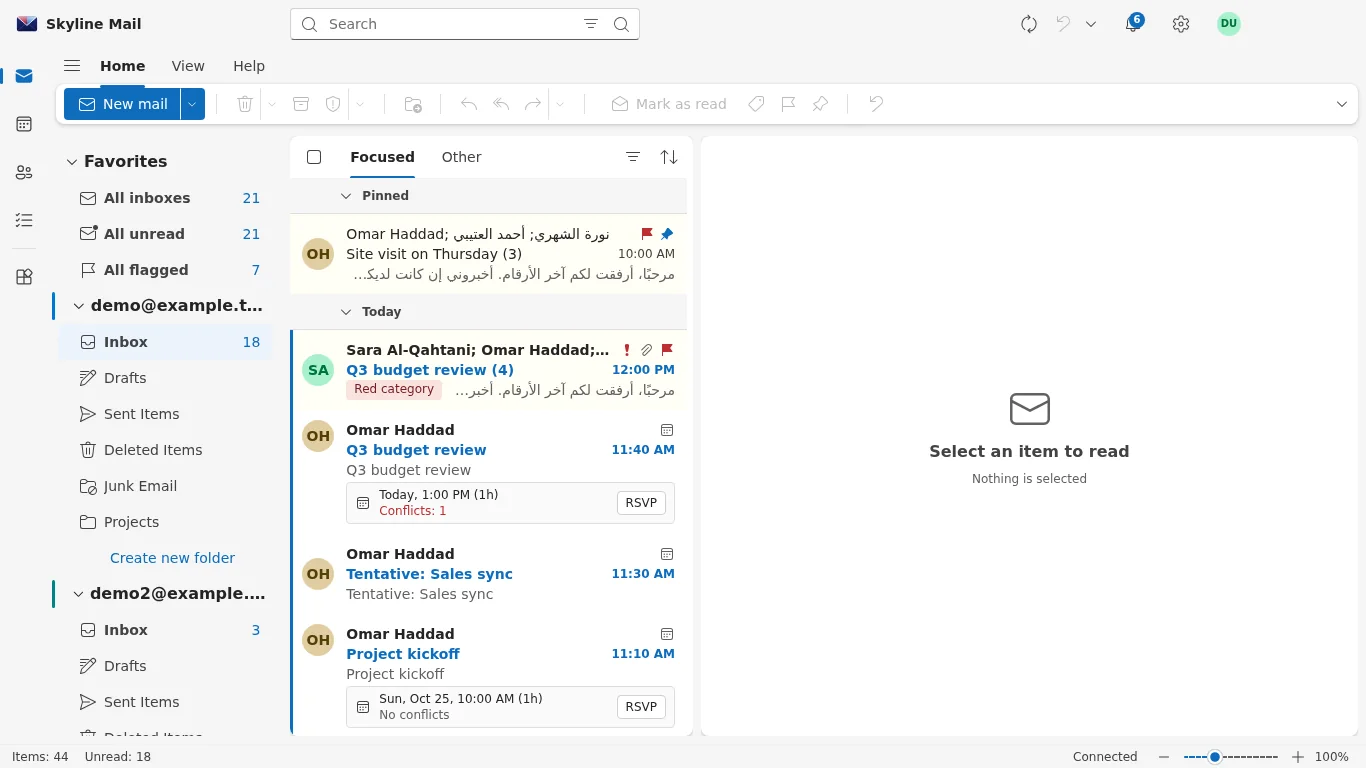
Skyline has two mail apps of its own. Skyline Mail for iPhone and iPad is on the App Store under the name "Skyline Cloud Mail" and brings mail, calendar and contacts to iOS 15 or later. Skyline Mail for Windows is an Outlook-style desktop app for Windows 10 and 11 with mail, calendar, people and to-do. Both are in Arabic and English and sign in with a Skyline Mail mailbox.
| What it is | Two apps made by Skyline for Skyline Mail mailboxes: a phone and tablet app for iPhone and iPad, and a desktop app for Windows. |
|---|---|
| Who it is for | People who use a Skyline Mail mailbox and want it in a dedicated app, in Arabic or English, instead of or beside Outlook and the phone's built-in mail app. |
| What it does | iPhone and iPad: mail, calendar and contacts, meeting invitations you can answer from the message. Windows: mail, calendar, people and to-do in one window, meeting invitations, calendars shared with colleagues, notifications, an optional Windows Hello lock, and other accounts beside the Skyline mailbox (a Microsoft account, or any mailbox with IMAP and SMTP). The Windows app updates itself. |
| What it does not do | There is no Skyline app on Google Play yet and no app for Mac; on those devices a Skyline mailbox is added to the built-in mail app or to Outlook. Gmail sign-in inside Skyline's apps is not available. The apps do not manage your organisation: mailboxes, policies and billing are managed in the Skyline Cloud console. |
| Where it runs | The apps run on your own device. The mailbox they connect to is stored on Skyline's mail platform in Riyadh; mail travels only between your device and your mail provider. |
| How to start | iPhone and iPad: install "Skyline Cloud Mail" from the App Store and sign in with your mailbox address and password. Windows: download the installer from cloud.alskyline.com/downloads/skyline-mail, add an account and choose Skyline. |
The two apps side by side
| Skyline Mail for iPhone and iPad | Skyline Mail for Windows | |
|---|---|---|
| Where to get it | App Store, listed as "Skyline Cloud Mail" | Download page on cloud.alskyline.com |
| Needs | iOS 15 or later | Windows 10 or 11, 64-bit |
| Includes | Mail, calendar, contacts | Mail, calendar, people, to-do |
| Sign-in | Mailbox address and password | Sign in with Skyline Cloud, or the mailbox password |
| Languages | Arabic and English | Arabic and English |
Frequently asked questions
Is there a Skyline Mail app for Android?
Not on Google Play yet. On Android a Skyline mailbox is added to the phone's mail app or to Outlook for Android as an Exchange account.
Do I have to use Skyline's apps?
No. A Skyline Mail mailbox also works in webmail, in Outlook and in the mail apps built into phones and computers.
Are the apps free?
Yes. Both apps are free to download; a Skyline Mail mailbox is needed to sign in.
Related guides
- How to set up Skyline Mail on an iPhone or iPad
- How to install and sign in to Skyline Mail for Windows
- How to add a Skyline Mail mailbox to Outlook
- Skyline Mail: what it is, what it does and where it runs
- How Skyline Cloud works: all guides
Ready to do it? Sign in to Skyline Cloud. No account yet? Create your account; opening one is free and needs no card.
Comments
0 total · 0 threads