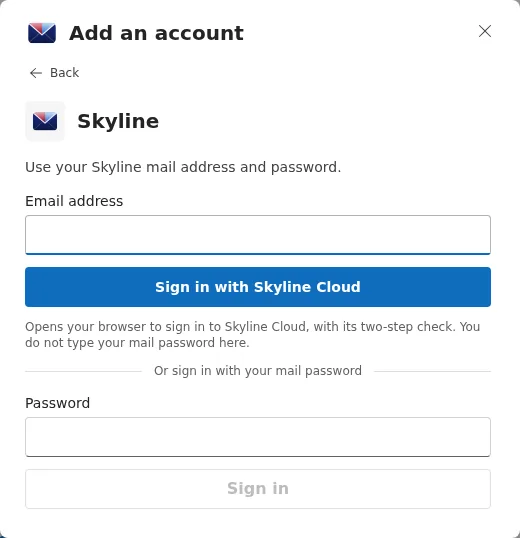
Skyline Mail for Windows is Skyline's own desktop app for Windows 10 and 11. Download it from the Skyline Mail download page, open it, type your email address under Add an account, choose Skyline, and either select Sign in with Skyline Cloud or type your mailbox password and select Sign in. Mail, calendar, people and to-do then appear in one app.
What you need
- A PC with Windows 10 or Windows 11 (64-bit).
- Your Skyline Mail address and its password, or your Skyline Cloud sign-in.
How do I set up Skyline Mail for Windows?
Download and install. Open cloud.alskyline.com/downloads/skyline-mail, download the installer and run it. The app updates itself afterwards.
Start adding an account. On first start the app shows Get started with Skyline Mail. In Add an account type your Email address and select Continue; the app looks up the settings for that address.
Choose Skyline. Under Account type the tile Skyline (Your Skyline Mail mailbox) is suggested for a Skyline address. Select it.
Sign in. Select Sign in with Skyline Cloud to sign in through your browser with the console's two-step check, without typing the mail password in the app. Or, under Or sign in with your mail password, type the Password and select Sign in.
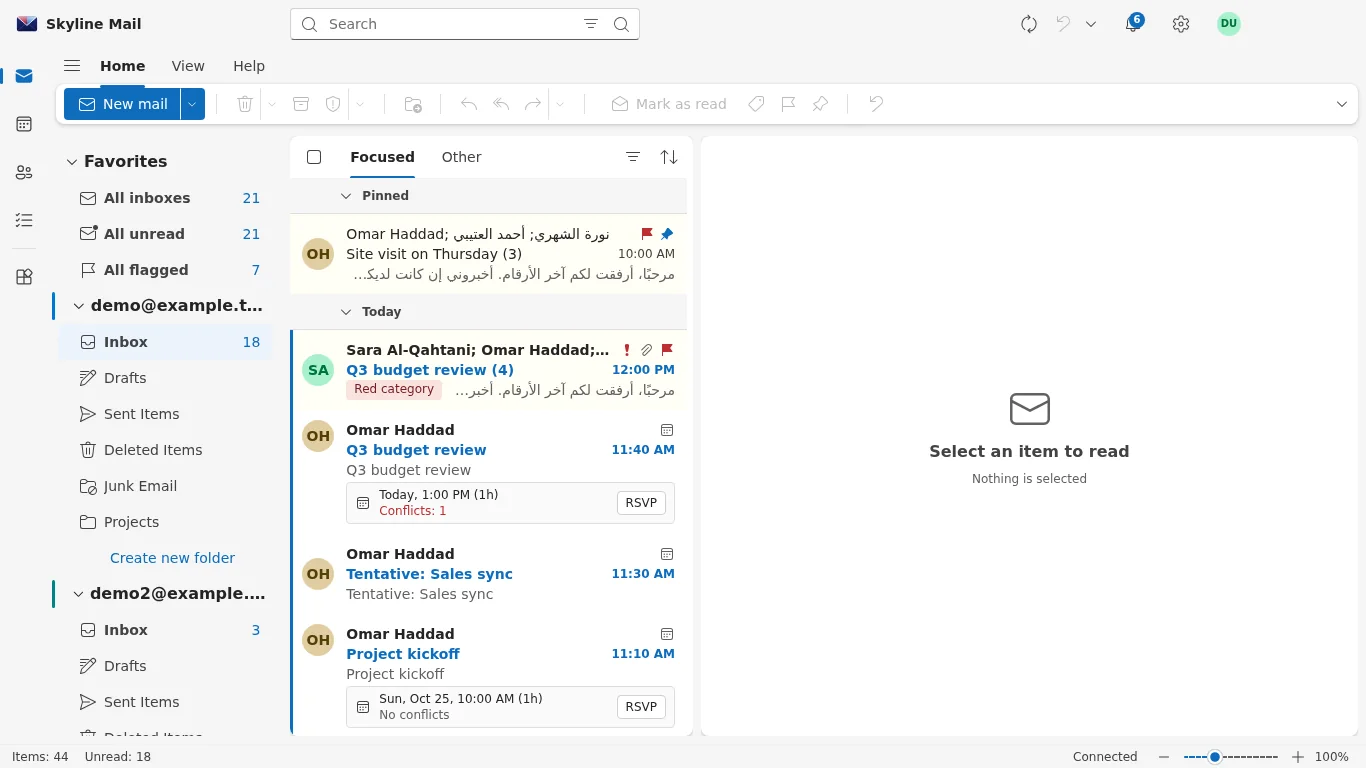
Use the app. Your folders load in an Outlook-style layout. Switch between mail, calendar, people and to-do from the app's navigation; more accounts are added from the account settings.
What can the app do?
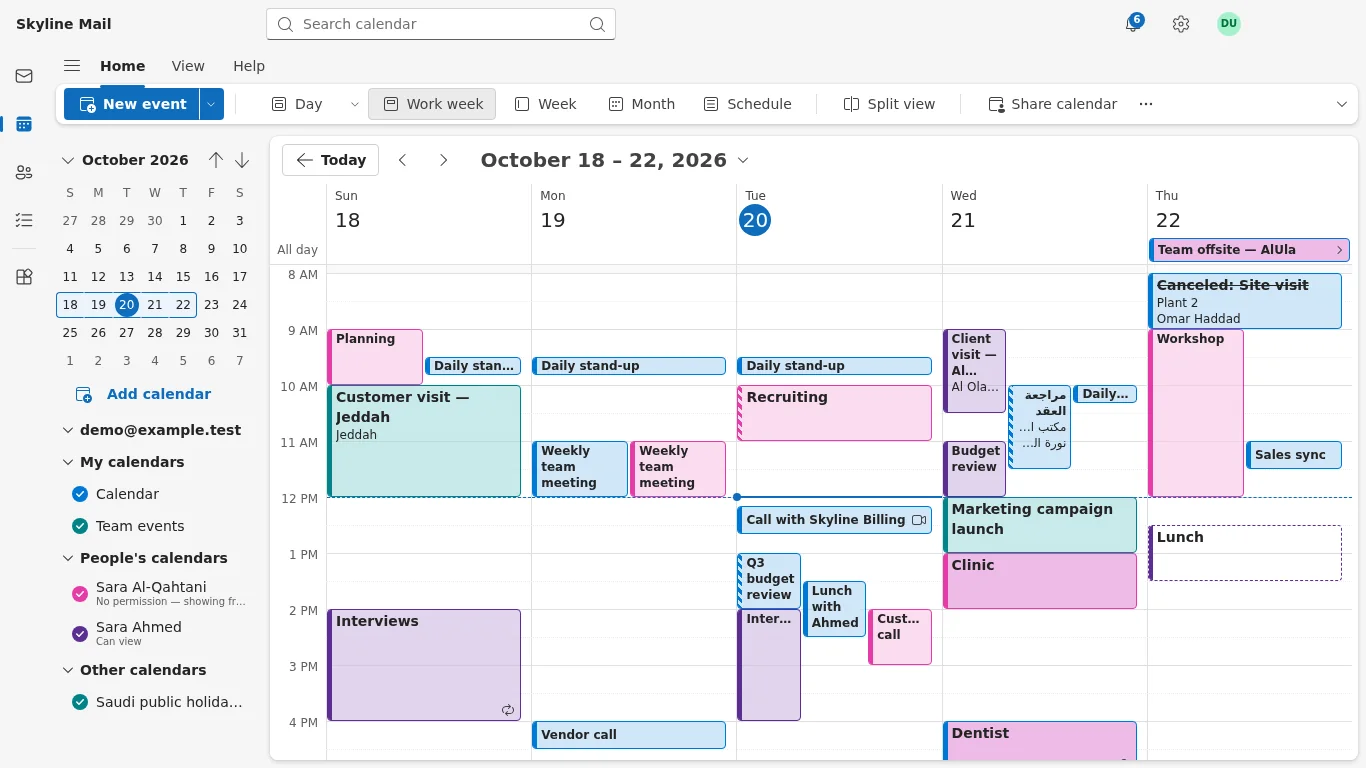
- Mail, calendar, people (contacts) and to-do in one window, in Arabic or English.
- Meeting invitations with accept, maybe and decline, and calendars shared with colleagues.
- Notifications for new mail and reminders.
- An optional Windows Hello lock: the app can require Windows Hello before it opens.
- Other accounts beside your Skyline mailbox: a Microsoft account, or any mailbox with IMAP and SMTP.
Your mail goes only between your PC and your mail provider.
If something goes wrong
| What you see | What to do |
|---|---|
| Needs sign-in next to the account | The session ended or the password changed. Sign in again; if the browser sign-in is not possible, choose Use my mail password instead. |
| The browser opens but nothing happens in the app | Finish the sign-in in the browser window; the app shows Waiting for you to finish in your browser… until you do. |
| The Skyline tile is not suggested | Check the spelling of the address. You can still select Skyline yourself. |
| Windows warns about the installer | Download it only from the official page on cloud.alskyline.com and run that file. |
Frequently asked questions
Is Skyline Mail for Windows free?
Yes. The app is free to download; you need a mailbox to use it.
Does it replace Outlook?
It can. It is built for Skyline mailboxes and has an Outlook-style layout. If you prefer Outlook, a Skyline mailbox also works there as an Exchange account.
Is there a Mac version?
Not at the moment. On a Mac use Apple Mail or Outlook for Mac with your Skyline mailbox.
Where is my mail kept?
In your mailbox on the server; for Skyline Mail that is in Riyadh, Saudi Arabia.
Related guides
- How to add a Skyline Mail mailbox to Outlook
- How to set up Skyline Mail on an iPhone or iPad
- How to create a mailbox in Skyline Mail
- How to require two-step sign-in for Skyline Mail webmail
- How Skyline Cloud works: all guides
Ready to do it? Sign in to Skyline Cloud. No account yet? Create your account; opening one is free and needs no card.
Comments
0 total · 0 threads